GlowWall: 4K & 3D Wallpapers
- 0.0
- Rating
- 50.00K
- Installs
- Free
- Price

 Analysis by App-foxy
I spent time with GlowWall: 4K & 3D Wallpapers as a personalization app, and my first impression was that it is trying to make the phone feel more alive without forcing users to rebuild every part of their setup. Its focus is a mix of animated wallpapers, AI-created artwork, and a launcher experience that aims to keep movement and customization feeling smooth. That combination makes it more ambitious than a simple wallpaper picker, but it also means the app deserves to be judged as a complete home-screen tool rather than only as a collection of backgrounds.
My recommendation is fairly straightforward: this is worth trying if you enjoy changing the visual mood of your phone and want several personalization ideas in one place. It is less convincing for someone who prefers a quiet, battery-conscious home screen, already has a carefully tuned launcher, or wants a specialist wallpaper library with very predictable behavior. The appeal is immediate, but the practical value depends on how much control you want over motion, layout, and the daily look of your device.
How GlowWall feels in everyday use
The strongest part of the experience is the way it treats personalization as a routine rather than a one-time setup. A still image can make a phone look different for a few minutes, but live wallpapers and AI art encourage more experimentation. I found myself thinking in terms of themes: a darker look for the evening, something energetic for a workday, or a more unusual generated image when the standard choices started to feel familiar.
You May Also Like

 Blood Strike: 2.5 Anniversary
Blood Strike’s Loadouts Turn Every Drop Into a Tactical Gamble
A close look at Blood Strike’s custom loadouts: how fast access to signature weapons reshapes its battle royale rhythm, rewards preparation, and narrows the gap between fights.

 Pandora - Music & Podcasts
Pandora’s Music Is Easy to Start, but Harder to Recover
Pandora’s strength is its low-effort path from a seed to a station. Its weak spot is how much confidence it asks you to place in connection, setup, and quiet recovery.

 8 Ball Pool
8 Ball Pool Is Built on Rivalries, Rematches, and Routine
A close look at the rivalries, rematches, shared routines, and unanswered safety questions that turn a quick pool match into a persistent mobile community.

 Samsung Music
Samsung Music’s Quiet Strength Is Playing What You Already Own
Its reach comes less from spectacle than from dependable access to a personal library. That simplicity is both the app’s strongest retention engine and its ceiling.

 AccuWeather: Weather Radar
AccuWeather Review: A Quick, Clear Forecast for Everyday Decisions
For everyday plans, the best forecast is the one you can understand quickly. AccuWeather makes rain timing, radar, and local conditions easy to act on, with a few trade-offs.

 Hill Climb Racing
Why Hill Climb Racing Still Turns Crashes Into One More Run
A tiny car, a bumpy hill and one more upgrade: Hill Climb Racing keeps resurfacing because its simple chaos makes every near-miss feel personal.
More From Our News Desk
View All News


The 4K emphasis is useful when the source artwork has enough detail to justify it. On a modern phone, fine textures and bright gradients can make the lock screen and home screen feel noticeably richer. Still, resolution alone does not guarantee a better result. A highly detailed image can become visually tiring if icons sit over a busy area, and an animated design can look impressive in a preview while making app labels harder to read. My best results came from choosing backgrounds with a calmer central area, leaving the icons easy to identify.
The 3D-style presentation adds another layer to the visual experience. It is most effective when depth supports the subject instead of distracting from it. Abstract scenes, space-inspired artwork, and layered shapes tend to benefit more than photographs with too many competing details. This is an important distinction: GlowWall is not automatically better because a wallpaper moves or appears dimensional. The right design can make the phone feel polished; the wrong one can make the home screen feel busy.
The launcher side is where the app becomes more than a decorative tool. A fluid launcher can be convenient when you want to change the background and the overall home-screen feel in one session. I like that idea because it reduces the usual back-and-forth between a wallpaper app, the system settings, and a separate launcher. The trade-off is that a launcher becomes part of the way you open apps, arrange shortcuts, and return to the home screen. That is a much bigger decision than applying one image.
The current experience is best for visual experimentation
GlowWall works particularly well for people who treat their phone as a personal object rather than a neutral tool. If you enjoy matching the look of your device to a season, a hobby, a favorite color, or simply your mood, the combination of live backgrounds and AI art gives you more room to explore than a fixed set of static images. I also see value for anyone who gets bored with a familiar home screen but does not want to spend an evening manually redesigning it.
A realistic example is a commuter who changes phones between personal and work modes. In the morning, a restrained dark background can keep the screen easy to scan while checking messages. Later, an AI-generated illustration or a brighter live scene can give the personal side of the device a different identity. The useful workflow is not changing everything constantly; it is creating a small rotation of looks and switching when the current one stops feeling right.
That workflow also reveals a limitation. Personalization can become its own chore. If you need to browse repeatedly before finding a background that works behind your icons, the novelty starts to fade. I would advise setting a simple rule: keep only designs that remain readable after a full day of normal use. A wallpaper that looks spectacular in a preview but makes notifications and icons difficult to see is not a successful customization.
What the recent version tells me about its direction
The current release is version 2.0.3, and that matters because it places the app in a more mature stage than an early experimental build. I read the version as a sign that the developer, RC BUILD AND RENEW SERVICES CORP, is continuing to shape the product around a broader personalization experience. The app was released on May 15, 2026, so its present identity is still relatively new compared with long-established launcher and wallpaper tools.
I would not treat the version number as proof that every rough edge has disappeared. A product can move beyond its first release and still need refinement in areas such as organization, consistency between devices, or the balance between visual effects and practical usability. What I can say from the current positioning is that GlowWall is no longer presenting itself as only a background gallery. Its direction combines creative generation with the daily mechanics of a launcher, which raises the standard users should expect from it.
For someone already using an earlier build, the most meaningful question is not whether the number looks newer, but whether the overall routine feels more coherent. The important test is simple: can you choose artwork, apply it, arrange the home screen, and continue using the phone without feeling that the customization layer is getting in the way? That is the product evolution I would watch most closely, because convenience matters more than a long list of visual options.
AI art is useful when you approach it with a plan
The AI art element is appealing because it can move the experience beyond the same wallpaper collections everyone else has seen. I found the idea most useful when starting with a clear visual brief instead of asking for something vague. Think about color, mood, subject placement, and whether the image needs an uncluttered area for icons. A prompt built around those practical needs is more likely to produce something that works as a phone background than an image designed only to look interesting in isolation.
One non-obvious tip is to design for the shape of the screen first. A portrait wallpaper can lose its focal point when the subject is placed too close to the top or bottom, especially once shortcuts and widgets are added. I would favor centered compositions with breathing room around the edges, then judge the result with the actual home-screen layout active. AI artwork often looks balanced as a standalone picture but less balanced once the phone interface is layered over it.
Another useful approach is to create variations rather than chasing one perfect image. A subtle change in brightness or background detail can make a major difference to readability. If the first result feels attractive but difficult to use, the better response is not necessarily to abandon the concept. Try simplifying the scene, reducing visual clutter, or shifting the strongest contrast away from the icon area. That is where the creative feature becomes practical rather than merely entertaining.
How it compares with familiar alternatives
Compared with the standard wallpaper settings on Android or iOS, GlowWall offers a more expressive starting point. System tools are usually better when you want reliability, minimal setup, and a clean way to choose an image you already own. GlowWall is more interesting when you want discovery, motion, AI-assisted creation, and a home-screen style that feels deliberately designed.
Compared with a dedicated live-wallpaper app, its advantage is the broader package. A specialist tool may offer deeper control over one type of animation or a more focused catalog. GlowWall instead connects the background experience with a launcher, which can make the result feel more unified. The cost of that convenience is that users who already love their current launcher may see little reason to change a familiar navigation system.
It also differs from a pure AI image generator. A general creative app may be better for producing artwork for many purposes, while GlowWall is aimed at the phone itself. The relevant question is not only whether an image is attractive, but whether it behaves well behind icons, widgets, and everyday gestures. That narrower purpose is a strength for quick personalization, though it may feel limiting to people who want extensive editing or export-oriented controls.
Where existing users may feel the most friction
The launcher is the biggest commitment. Switching launchers can affect muscle memory, icon placement, search habits, and the way you organize frequently used apps. Even if the visual result is appealing, I would not recommend changing your launcher in the middle of a busy workday. Try it when you have time to restore your preferred arrangement if the new flow does not suit you.
There is also a practical tension between motion and efficiency. Live wallpapers are designed to be noticed, but a phone background is visible many times throughout the day. Constant movement may be welcome for some users and distracting for others. It can also make the device feel less calm, particularly when notifications and widgets are already demanding attention. My advice is to compare a live scene with a still version during normal use, not just during the initial setup.
AI-generated artwork brings its own friction. Results can be unpredictable, and an image that looks polished may still have awkward composition or too much contrast. The app can make experimentation easier, but it cannot replace your judgment about readability. I would also avoid treating every generated result as a finished design. Some are better used as starting points for a theme than as a permanent background.
The Teen content rating is another signal to consider when deciding who should use it. Families choosing personalization tools for younger children may want to review the experience together and keep the device’s broader supervision settings in mind. For teenagers and adults, the rating is unlikely to be a major obstacle, but it is still part of the app’s intended audience context.
Who should install it, and who should skip it
I would recommend GlowWall to users who want a single place to explore live wallpapers, AI art, and launcher customization. It suits people who enjoy refreshing their phone’s appearance and are willing to spend a little time testing layouts. It is also a sensible choice for someone whose current home screen feels dull but who does not want to assemble a complete setup from several unrelated tools.
I would be more cautious if you use your phone mainly for reading, navigation, messaging, or work and prefer every element to stay visually quiet. A conventional static wallpaper and the default launcher may be better because they reduce distractions and require less maintenance. The same applies if you have already invested time in a carefully organized third-party launcher. GlowWall’s combined approach is convenient for starting fresh, but it may not justify replacing a setup that already works perfectly.
People who want exact artistic control should also set their expectations appropriately. The AI feature encourages ideas and variations, but creative generation is not the same as professional image editing. If your priority is precise typography, carefully aligned branding, or detailed manual retouching, a dedicated design app will likely be the better tool. GlowWall is strongest when speed and visual discovery matter more than pixel-level control.
Practical decisions before making it your default
The app is free, which lowers the barrier to testing it without turning the decision into a financial commitment. I would still treat the setup as an evaluation period. Start with one background, keep your existing home-screen organization in mind, and notice whether the launcher feels natural after the novelty wears off. The first five minutes tell you whether the visuals are attractive; a normal day tells you whether the app is actually useful.
Before settling on a live design, check three things: icon readability, the amount of movement, and how quickly you can reach the apps you use most. This simple check catches the common mistake of choosing a wallpaper for its preview rather than for its behavior under real conditions. If the launcher changes your arrangement, recreate only the shortcuts you genuinely use instead of copying every old page. A smaller layout can make the new visual style feel more intentional.
For AI art, I suggest keeping a repeatable prompt pattern. Begin with the subject, add the mood and color palette, then specify a clean area for icons and a portrait composition. Save the strongest variations and compare them with your widgets visible. This turns the feature into a small design workflow rather than endless browsing. It also makes it easier to return to a style you liked without starting from nothing.
Compatibility is relatively broad because the minimum operating-system requirement is Android 9. That makes the app accessible to people who are not using the newest phones, although the quality of animation and the overall feel can still vary with device hardware and screen characteristics. I would judge performance on the phone you actually use instead of assuming that a smooth preview will feel identical everywhere.
What I would watch as the app develops
My main expectation for future development is better balance between creative choice and everyday control. More artwork is always tempting, but organization matters just as much. I would like to see the experience continue making it easy to separate calm backgrounds from high-energy designs, identify which looks work best behind icons, and return to a reliable favorite without repeating the entire discovery process.
The launcher deserves equal attention. A visually attractive home screen is not enough if navigation feels unfamiliar or if arranging shortcuts takes too much effort. The product’s long-term success will depend on whether the launcher becomes a dependable daily layer rather than a feature users try once for the novelty. Smooth transitions are helpful, but predictable gestures and quick access are more important after the first impression.
I would also watch how the app handles the practical side of live and AI-created content. Users need confidence that a beautiful background will remain usable when notifications, widgets, and changing lighting conditions enter the picture. The best direction would be one that treats readability and restraint as part of personalization, not as compromises that users have to solve alone.
GlowWall has a clear personality: it wants your phone to feel expressive, animated, and changeable. In my experience, that makes it more engaging than a basic wallpaper selector, especially when I use AI art with a deliberate composition and keep the launcher layout simple. The app is not the right answer for every Android user, and I would skip it if my priority were maximum calm or a deeply established launcher workflow.
Still, the free entry point makes experimentation easy, and the current version shows a product moving toward a fuller personalization experience. With over 50 thousand installs, it has already attracted an initial audience, while its category remains focused on making the phone look and feel more personal. I would recommend trying it with a practical test rather than judging it from a preview: choose one restrained design, use the launcher through a normal day, and then decide whether the extra visual energy genuinely improves your phone.
FAQs for GlowWall: 4K & 3D Wallpapers
01What is GlowWall: 4K & 3D Wallpapers?
GlowWall: 4K & 3D Wallpapers is a wallpaper app designed for users who want to personalize their phone with high-resolution backgrounds. Its catalog focuses on colorful, glowing, abstract, futuristic, nature-inspired, and three-dimensional designs. Wallpapers are generally presented in a format suitable for modern smartphone screens, making it easier to preview how a selected image may look before applying it.
02Does GlowWall offer true 4K and 3D wallpapers for every device?
The app promotes 4K and 3D-style wallpaper content, but the final appearance depends on the original image, your device’s screen resolution, aspect ratio, and operating system. Some backgrounds may create a three-dimensional effect through depth, lighting, or layered artwork rather than interactive 3D movement. Users should also expect that very high-resolution images can require more storage and data when downloading.
03Can I use GlowWall wallpapers on both Android and iPhone?
GlowWall’s availability and exact features can vary between Android and iOS versions. On compatible devices, users can usually preview a background, save it, or apply it through the phone’s wallpaper settings. However, options such as separate lock-screen and home-screen wallpapers, live effects, automatic rotation, or system-level controls may work differently depending on the platform and device model.
04Is GlowWall: 4K & 3D Wallpapers free to use?
The app may allow users to browse part of its wallpaper collection without paying, while some premium images, features, or download options can require a subscription or in-app purchase. Before confirming anything, check the pricing page carefully, including the billing period and renewal terms. It is also worth reviewing whether advertisements appear in the free experience and whether downloaded wallpapers remain available after cancellation.
05Is GlowWall safe to download and what permissions does it require?
Download GlowWall only through the official Google Play Store or Apple App Store, where the listing, developer information, ratings, and privacy details can be checked. A wallpaper app may request access related to saving images or displaying notifications, but permissions should match its functionality. Avoid granting unrelated access, and review the privacy policy before using the app if you are concerned about advertising, analytics, or personal data collection.
Pros
- Large 4K library with sharp detail on modern displays.
- 3D wallpapers add depth and motion to otherwise static screens.
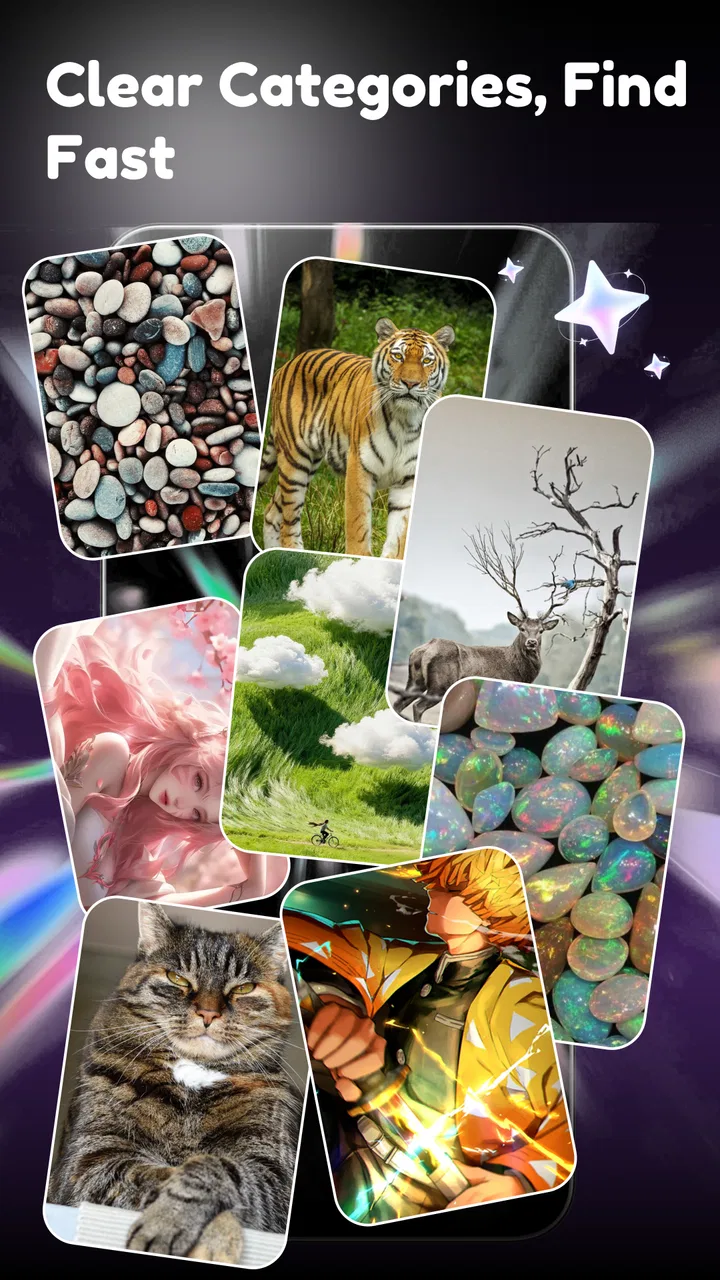
- Categories make it easy to browse themes
- colors
- and styles.
- Regular content updates provide fresh wallpaper choices.
- Wallpaper previews show how designs look before applying them.
Cons
- Some high-resolution downloads may use considerable storage space.
- Animated wallpapers can increase battery consumption on some devices.
- The best content may be restricted to a premium subscription.
- Older phones may struggle with certain 3D or live effects.
- Downloading wallpapers requires a stable internet connection.

GlowWall: 4K & 3D Wallpapers
Gallery